How to Add a Backend to a v0 App
TL;DR: v0 builds a full Next.js app and connects a database through the Vercel Marketplace (Neon, Supabase, Upstash). You aren't limited to those. The generated code is yours, so it can call any REST API. With MoonDB you define a schema, get a hosted API with access rules in two calls, and tell v0 to use those endpoints.
What v0 builds, and where the backend decision starts
v0 turns a prompt into a working Next.js app: components, pages, and the API routes behind them. It writes real server code, which is what makes the data question worth settling early.
For storage, v0 points you at the Vercel Marketplace. Ask it for a database in chat and it offers integrations like Neon, Supabase, and Upstash. Pick one, click through the terms, and the connection keys land in your project's environment variables. Later generations read and write through that provider.
That path is smooth, and for many apps it's all you need. What it settles for you is where your data and your API live. Each Marketplace provider ties your backend to its client library and its dashboard, so moving that data to another app later means rewriting against a different client.
Why bring your own backend to a v0 app
Owning the API keeps a few doors open that a built-in integration tends to close.
The data leaves with the app. v0 exports a standard Next.js project you can push to GitHub and host anywhere. A backend reached over plain HTTP travels with it, while one tied to a Marketplace client library asks for rework the day you move off Vercel.
Agents handle the shape well. v0 already writes fetch calls; what it doesn't do is run or verify database migrations. Hand it a declarative schema and REST endpoints and it stays on the part it's good at.
The data model lives in one file. Instead of clicking through a provider's table editor, you write the schema as JSON and apply it. The same document is your source of truth and your migration path.
None of this is a knock on Neon or Supabase. For a Vercel-native app they fit well. It's a case for choosing the backend deliberately, early, while switching is still cheap.
Add a backend to your v0 app with MoonDB
MoonDB turns a JSON schema into a hosted backend: real tables, CRUD endpoints, auth, and file storage at a stable URL. You set it up once, then point v0 at it. Here's the path for a landing page with a waitlist, a common first v0 build.
Step 1: create a project
One call returns the keys you need.
curl -X POST https://moondb.ai/v1/projects \
  -H "X-API-Key: mk_your_account_key" \
  -H "Content-Type: application/json" \
  -d '{ "name": "v0-waitlist" }'
{ "data": { "id": "p_8fz2", "admin_key": "sk_...", "public_key": "pk_..." } }The public_key goes in the browser. Keep the admin_key in a Vercel environment variable, where your server code can reach it and your users can't.
Step 2: send the schema
You describe the table and its rules in JSON and apply them with one PUT. A waitlist needs anyone to add their email, but only you to read the list.
curl -X PUT https://moondb.ai/p/p_8fz2/v1/schema \
  -H "X-Admin-Key: sk_..." \
  -H "Content-Type: application/json" \
  -d @schema.json
{
  "tables": {
    "signups": {
      "columns": {
        "email": "string required unique",
        "source": "string",
        "invited": "bool default false"
      },
      "access": { "create": "public", "read": "admin", "update": "admin", "delete": "admin" }
    }
  }
}
The short strings carry the rules. "string required unique" becomes a non-null, indexed column, so the same email can't sign up twice. "bool default false" gives you an invited flag to flip later. The access block is the important part here: create: public lets anyone add their email without logging in, while read: admin keeps the list behind the admin key. MoonDB also adds id, created_at, and updated_at to every table, so you can sort signups by arrival without declaring a column.
MoonDB reads that, creates the table, and serves the API right away. Change the schema later and you send new JSON; MoonDB diffs it and migrates, asking before anything destructive runs.
Step 3: wire it into v0
v0 writes the code, so wiring is a prompt plus where the keys live. Tell it not to add a Marketplace database and give it your endpoint:
Don't add a Marketplace database. On the waitlist form, POST the email to
https://moondb.ai/p/p_8fz2/api/signupswith headerX-Public-Key: pk_...and body{ "email": "...", "source": "landing" }.
The form submit becomes a plain fetch from the client. The public key is safe to ship in the browser, and the signups table accepts the write because its create rule is public:
await fetch("https://moondb.ai/p/p_8fz2/api/signups", {
  method: "POST",
  headers: { "Content-Type": "application/json", "X-Public-Key": "pk_..." },
  body: JSON.stringify({ email, source: "landing" })
});
Reading the list is a job for the server, because the admin key must never reach the browser. v0 generates Next.js, so this is a route handler that holds the key in an environment variable:
// app/api/signups/route.js
export async function GET() {
  const res = await fetch("https://moondb.ai/p/p_8fz2/api/signups?sort=created_at.desc", {
    headers: { "X-Admin-Key": process.env.MOONDB_ADMIN_KEY }
  });
  return Response.json(await res.json());
}
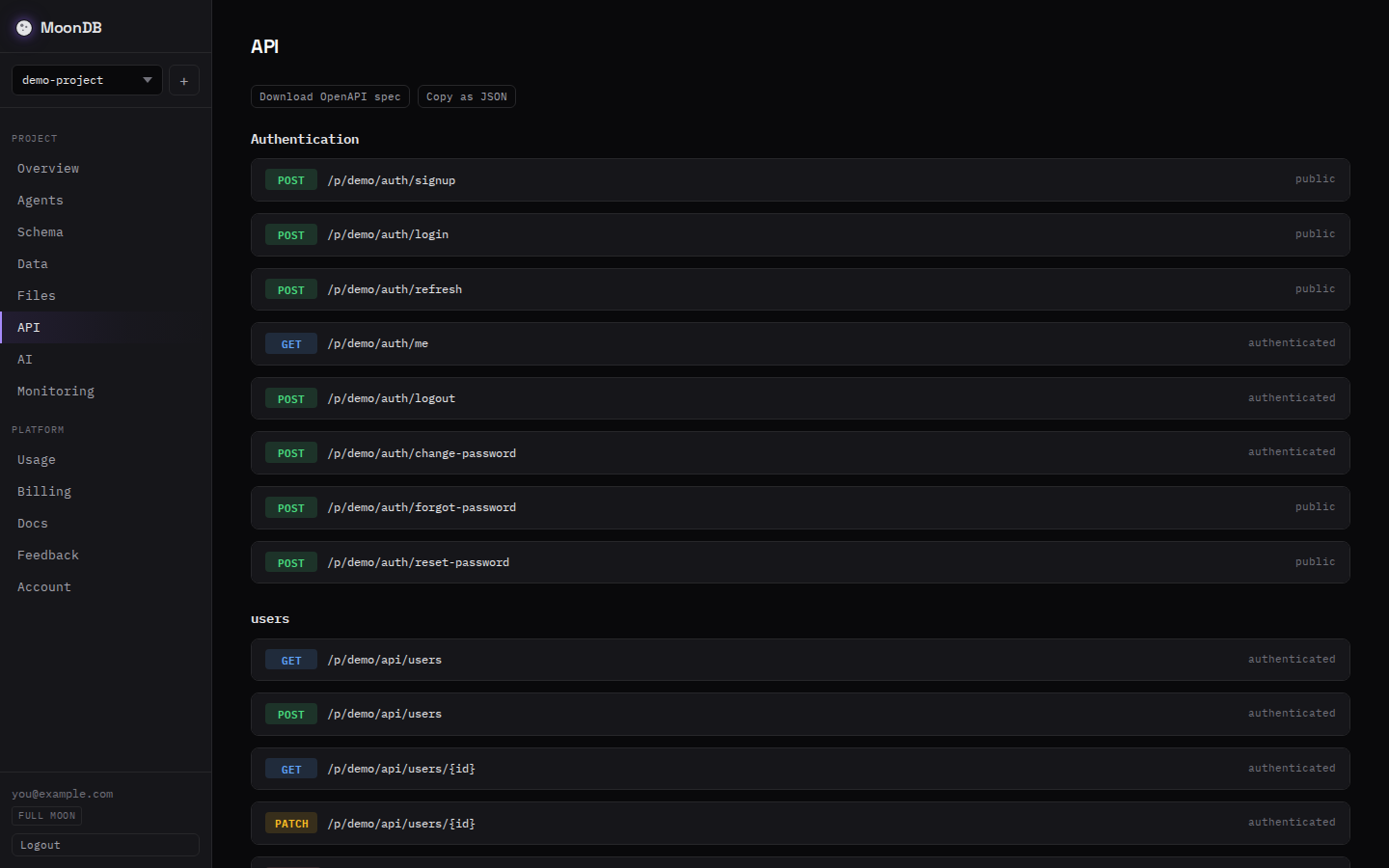
Two calls set the backend up: create the project and send the schema. From there the v0 app writes signups from the browser and reads them from a route handler, with the public and admin keys doing the gatekeeping. The app stayed a normal Next.js project the whole time. The same endpoints back a Lovable, Bolt, or Cursor build without change.
MoonDB vs Vercel Marketplace databases for a v0 app
| Neon | Supabase | MoonDB | |
|---|---|---|---|
| How you add it | Marketplace, in chat | Marketplace integration | Two API calls |
| Database | Postgres | Postgres | SQLite on Cloudflare D1 |
| How the app talks to it | SQL client / ORM | Supabase client library | Plain fetch to a REST URL |
| Schema source | SQL or dashboard | SQL or dashboard | One JSON document |
| Tied to Vercel | Native | No (independent platform) | No |
| Move it elsewhere | Re-provision and rewire | Rework client code | Change a base URL |
Neon is the native fit when the app lives and stays on Vercel and you want full Postgres. Supabase brings Postgres plus a broad toolset. MoonDB fits when you want a portable REST API you own, defined from a schema an agent can write, that the app reaches the same way from anywhere.
When this is the right call, and when it isn't
A hosted, schema-driven backend fits an MVP, a landing page, a side project, or anything an AI agent is scaffolding. The data model is the real work, and a JSON schema plus REST endpoints turns the backend into one document instead of a provider you wire up and maintain.
Be honest about the limits. MoonDB runs on SQLite through Cloudflare D1. You get fast reads at the edge and a simple model, with one writer per database and a 10 GB ceiling, which holds a large table of signups or posts with room to spare. A write-heavy system with thousands of concurrent writers wants a dedicated database, and this is not a drop-in Postgres replacement. If you're weighing the two, here's how MoonDB compares to Supabase, and the schema and API reference covers every field type. For the prompt-to-app range most v0 projects start in, owning the API early saves the migration later.
New to the schema-to-endpoints idea? The walkthrough on generating a REST API from a JSON schema covers the format in more depth, and the Lovable version of this guide shows the same flow for a pure frontend builder.
FAQ
Can v0 build a backend, or only a frontend?
v0 builds both. It generates a Next.js app, so it can write API routes and server actions, not just UI. For data it leans on Vercel's Marketplace integrations. You can also skip those and have it call a backend you host, since the generated code is yours to edit.
How do I add a database to a v0 app?
Ask v0 in chat to add a database and it opens the Vercel Marketplace, where you connect Neon, Supabase, or Upstash. The keys land in your project vars. Or point the app at your own REST API and store the base URL and keys in the same vars.
Can I connect a v0 app to a backend outside the Vercel Marketplace?
Yes. v0 exports a standard Next.js project, so its code can call any HTTP API from the client or from a route handler. You give v0 the base URL and auth headers, and it writes the fetch calls. A hosted API like MoonDB gives you those endpoints without a server.
Does v0 give you the full code?
Yes. v0 generates a complete Next.js project you can edit in the browser, push to GitHub, or run locally. Because you hold the code, the backend it talks to is your choice, not a fixed part of the platform.
Sources
- v0 docs: databases — the Vercel Marketplace database options
- v0 by Vercel — the AI app builder
- MoonDB documentation — the schema format and full API reference